How to record with the phone on your forehead so your video gets approved
Many videos are rejected for the same reason: the angle. This guide helps you get it right from the first recording.
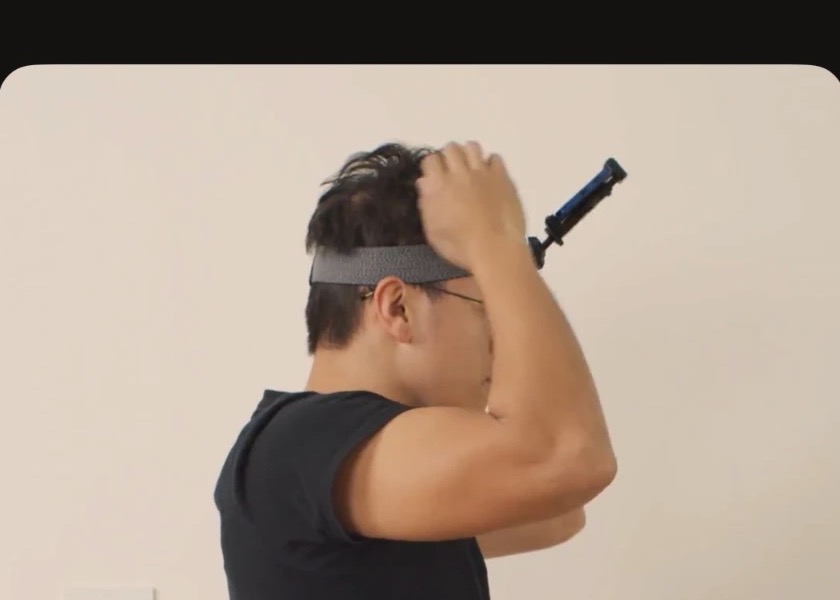
Point the phone at your hands
The mount goes on your forehead and the phone tilts down, toward your hands. If the camera looks straight ahead, at the horizon, the video shows walls and ceiling and no hands. Before you start, look at the screen: your hands should be in the lower half of the picture.
Record in landscape
Turn the phone on its side with the picture upright. Portrait videos are rejected.
Keep both hands in view
Work close to what you are doing. If your hands leave the frame for more than 10 seconds, that part is not paid.
Good light and a clean lens
Find good light and wipe the lens before you record. A blurry or dark video is no use for training.
What is not accepted
- The phone in your hand or on your chest.
- Filming a screen or joining several videos.
- Filming other people's faces without their permission.
After you record
Every video is reviewed before it is paid. If it is trimmed or rejected, you see the reason in your dashboard and fix it in the next recording.